3D Representations
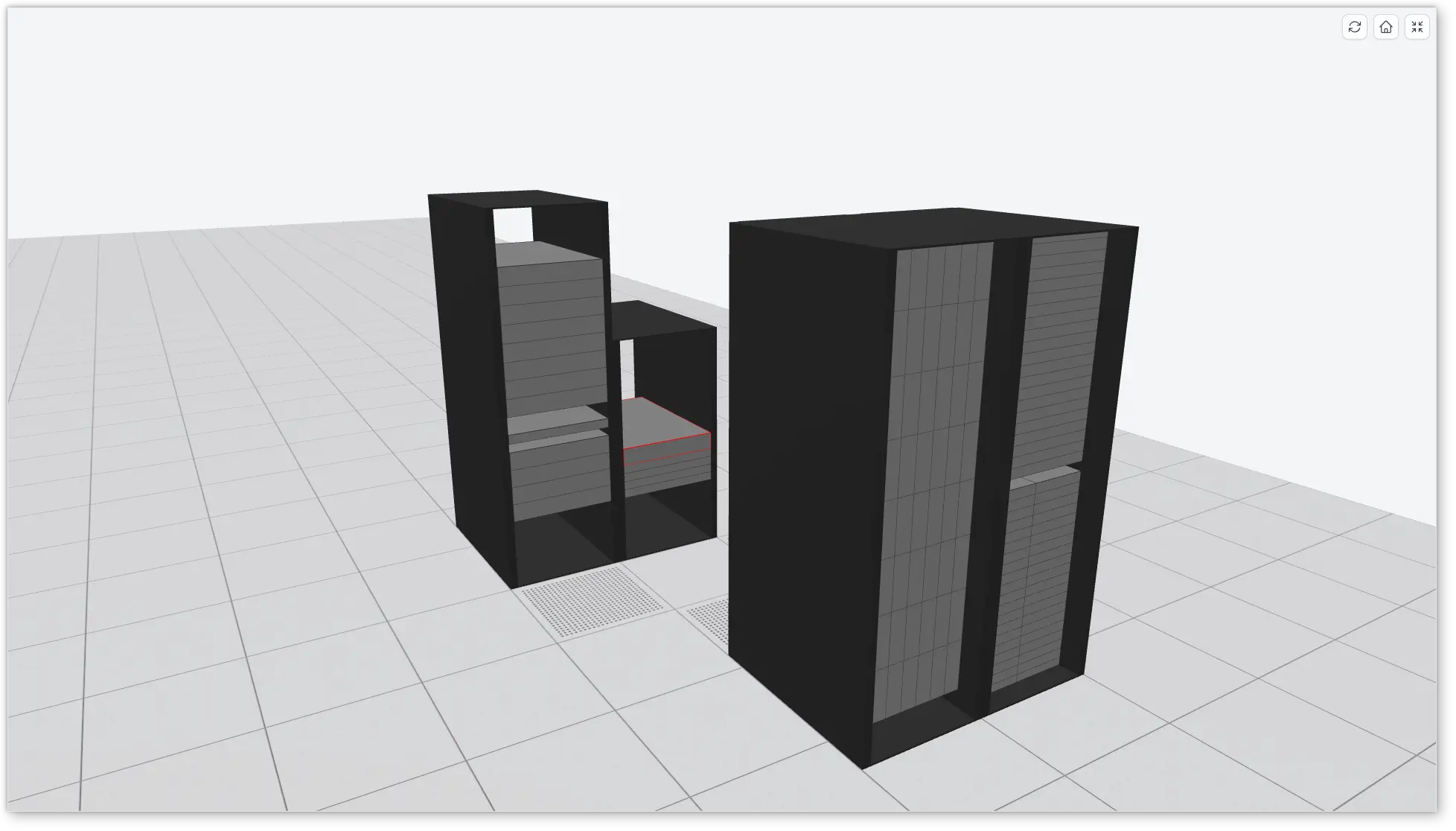
RacksDB can generate 3D representations of infrastructures in glTF 2.0 format, the standard format for 3D scenes supported by most 3D software (ex: Blender) and web 3D libraries (ex: three.js, Babylon.js). These representations contain all the rooms and racks used by the infrastructure, with its equipment at their positions in the racks.
Formats
Two variants of glTF format are supported:
glb-
Binary format, in a single file with all the data. This is the most compact variant, it is recommended in most cases. Its media type is
model/gltf-binary. gltf-
JSON format, with all binary data (geometry, textures) embedded in base64 encoded URI. Its media type is
model/gltf+json.
These formats are supported for infrastructures only. Coordinates cannot be requested with these formats.
Usage
With racksdb CLI, select the format with --format
option. For example:
$ racksdb draw infrastructure --name=mercury --format=glbThis command generates file mercury.glb in current directory.
With REST API, use the format as extension of the requested resource. For example:
$ curl -X POST http://localhost:5000/v0.7.0/draw/infrastructure/mercury.glb \
       --output mercury.glb
The web UI also displays these 3D representations in an interactive viewer.
Drawing Parameters
The following drawing parameters are honored in 3D representations:
-
infrastructure.equipment_tags -
infrastructure.ghost_unselected, ghosted equipment are semi-transparent -
infrastructure.discard_empty_racks -
infrastructure.other_racks, racks not used by the infrastructure are represented with closed doors -
infrastructure.collisions, edges of colliding equipment are red -
rack.u_height -
rack.pane_width -
colors.equipments, withbackground,borderandghostcolors -
colors.racks, withframecolor
Other drawing parameters are specific to images and they are ignored.
Scene
The scene uses meters as unit, with Y axis pointing up. In rooms, the X axis follows room width and the Z axis follows room depth, so that a scene viewed from above matches room maps. Racks doors face +Z in racks local coordinates.
The rooms have raised floors with 600mm tiles. Every other tile in front of racks doors is perforated, to represent cold aisles. When the infrastructure is spread over multiple rooms, the rooms are placed side by side along the X axis, separated by 2 meters.
Equipment depth is not defined in database. Equipment are represented as deep as their rack, minus 10cm at the rear.
The glTF scene graph follows the structure of the database. Every glTF node
representing a database object (room, row, rack or equipment) is named after
this object and has metadata in its extras property, with the category key
giving the type of object. For equipment, this key contains the category of
equipment in RacksDB (node, storage, network or misc).
| Object | Category | Parent | Extras |
|---|---|---|---|
Room |
|
scene |
|
Row |
|
Room |
|
Rack |
|
Row |
|
Equipment |
|
Rack |
|
The geometry of database objects is attached to unnamed child glTF nodes, which
have a part key in their extras instead of category. For example, this is
an excerpt of the scene graph of mercury infrastructure, with the extras of
the glTF nodes:
noisy                       {"category": "room", …}
├── (unnamed)               {"part": "floor"}
├── R1                      {"category": "row", …}
│   └── R1-A01              {"category": "rack", …}
│       ├── (unnamed)       {"part": "left"}
│       ├── …
│       └── mecn0001        {"category": "node", …}
│           ├── (unnamed)   {"part": "body"}
│           └── (unnamed)   {"part": "edges"}
└── …
Some glTF loaders modify the names of glTF nodes. For example, three.js
removes characters []./: and replaces whitespaces with underscores, so
equipment sw1.example.org is named sw1exampleorg. Original names can be
retrieved with parser.associations and parser.json properties of the loaded
glTF object.
|