LDAP Authentication
Slurm-web supports users authentication with an enterprise LDAP directory (OpenLDAP, FreeIPA, Active Directory, etc.).
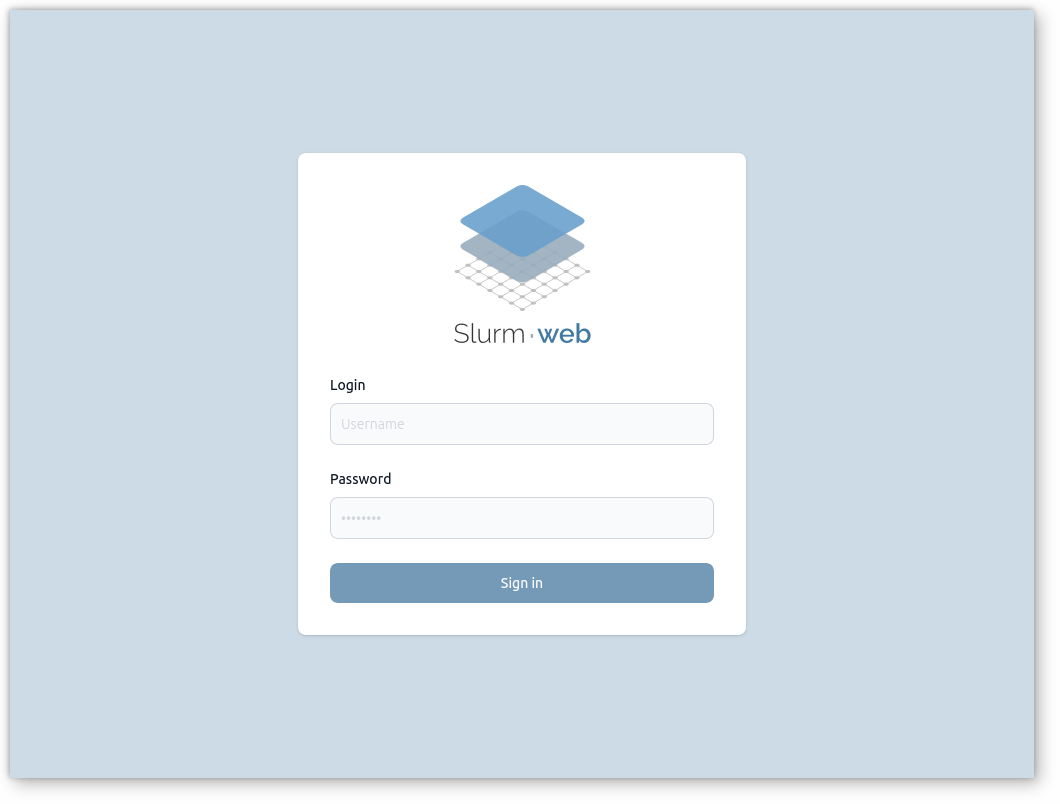
Users enter their directory username and password on the login page. The gateway validates credentials and group memberships with LDAP, then issues a Slurm-web JWT for the session.
Prerequisites
-
The gateway host must reach the LDAP server (network, firewall, DNS).
-
HTTPS is strongly recommended on the production HTTP server in front of the gateway to protect passwords in transit. See production HTTP server setup.
-
LDAP search bases (
user_base,group_base) must match your directory layout.
Authentication flow
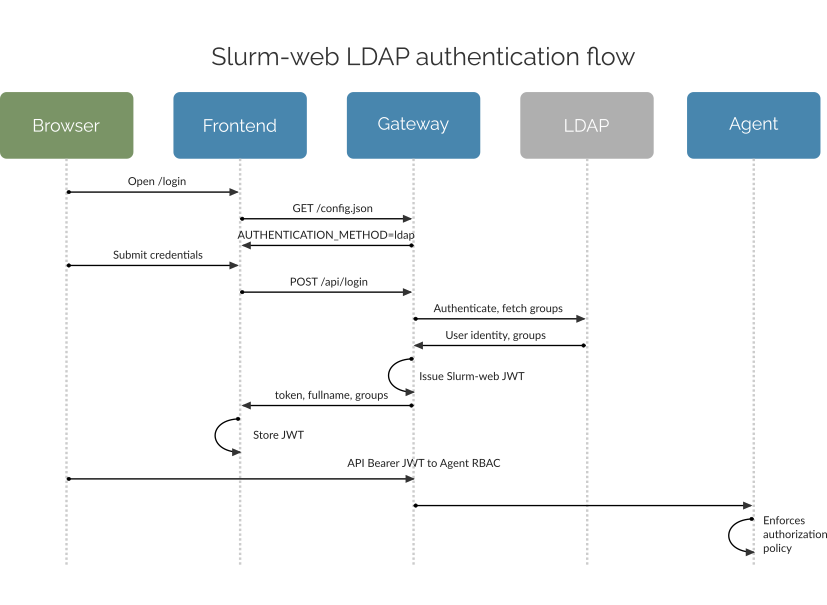
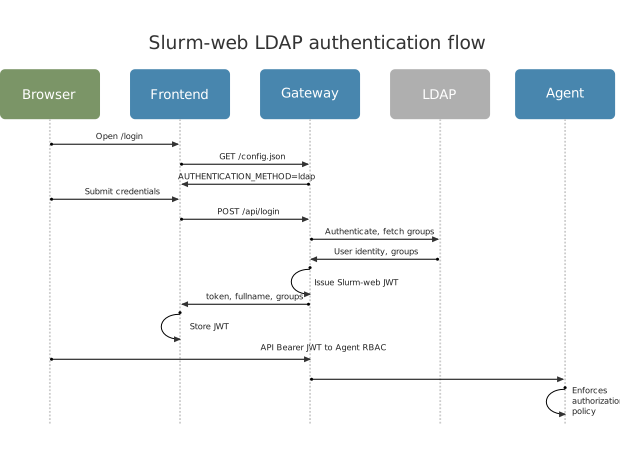
The diagram below shows the main components and message exchanges when a user opens the dashboard and signs in with LDAP:
-
The user opens the login page in the browser. The frontend loads
uiconfiguration fromGET /config.jsonand learns thatAUTHENTICATION_METHODisldap. -
The user submits username and password in the login form.
-
The frontend sends
POST /api/loginwith credentials to the gateway. -
The gateway connects to the LDAP directory, authenticates the user, and retrieves group memberships.
-
The gateway issues a Slurm-web JWT containing login, full name, and groups.
-
The frontend stores the JWT in the browser and uses it as a Bearer token on later API calls.
-
The gateway proxies requests to cluster agents with the same JWT.
-
Each agent applies authorization policy using JWT groups.
|
Group membership lookup supports both RFC 2307 (legacy NIS) and RFC 2307 bis layouts:
By default, |
Setup
Enable LDAP in /etc/slurm-web/gateway.ini with method=ldap and a
[ldap] section adapted to your directory:
[authentication]
enabled=yes
method=ldap

[ldap]
uri=ldap://ldap.example.com (1)
user_base=ou=people,dc=example,dc=org (2)
group_base=ou=groups,dc=example,dc=org (3)| 1 | LDAP server URI (ldap://, ldaps://, or ldap:// with starttls). |
| 2 | Subtree where user entries are searched. |
| 3 | Subtree where group entries are searched. |
Other common [ldap] options:
-
bind_dn,bind_password, orbind_password_file— service account bind when anonymous search is not permitted -
group_object_classes,group_name_attribute, and related parameters — when your directory uses other object classes or attribute names than the defaults -
cacertandstarttls— TLS to the directory -
restricted_groups— allow sign-in only for listed groups; when omitted, any user who can authenticate in the directory may connect. Names must match@groupentries in policy
Restart the gateway after any change to gateway.ini:
-
Native service
-
Production HTTP server
-
Containers
-
Compose
When using default native service:
# systemctl restart slurm-web-gateway.serviceWhen using production HTTP server:
# systemctl restart slurm-web-gateway-uwsgi.serviceWhen using raw containers:
$ docker restart slurm-web-gatewayWith Podman:
$ podman restart slurm-web-gatewayWhen using the reference Compose stack:
$ LOCAL_UID=$(id -u) LOCAL_GID=$(id -g) docker compose restart gatewayWith Podman Compose:
$ LOCAL_UID=$(id -u) LOCAL_GID=$(id -g) podman compose restart gatewayTroubleshooting
A utility is available to validate LDAP configuration: slurm-web ldap-check.
This command is installed with Slurm-web gateway. It validates
LDAP settings in the gateway configuration
file:
-
System packages
-
Docker
-
Podman
-
Compose
# slurm-web ldap-check$ docker run --rm \
--user $(id -u slurm-web):$(id -g slurm-web) \
-v /etc/slurm-web/gateway.ini:/etc/slurm-web/gateway.ini:ro \
-v /var/lib/slurm-web:/var/lib/slurm-web \
ghcr.io/rackslab/slurm-web-gateway:latest ldap-check$ podman run --rm \
--userns=keep-id --user $(id -u slurm-web):$(id -g slurm-web) \
-v /etc/slurm-web/gateway.ini:/etc/slurm-web/gateway.ini:ro \
-v /var/lib/slurm-web:/var/lib/slurm-web \
ghcr.io/rackslab/slurm-web-gateway:latest ldap-check
With rootful Podman, omit --userns=keep-id.
|
$ LOCAL_UID=$(id -u) LOCAL_GID=$(id -g) docker compose run --rm gateway ldap-checkWith Podman Compose:
$ LOCAL_UID=$(id -u) LOCAL_GID=$(id -g) podman compose run --rm gateway ldap-checkFor example, when LDAP is configured successfully:
INFO ⸬ Running slurm-web ldap-check
Found 10 user(s) in LDAP directory:
- sstevenson (Scott Stevenson) [users, admin]
- jwalls (Jennifer Walls) [users, biology]
- strevino (Samantha Trevino) [users, biology]
- cingram (Christopher Ingram) [users, biology]
- nlee (Nathan Lee) [users, biology]
- mdavis (Michael Davis) [users, physic, acoustic]
- mgardner (Micheal Gardner) [users, physic, acoustic]
- kthomas (Kevin Thomas) [users, physic, acoustic]
- clewis (Charles Lewis) [users, physic, optic]
- msantos (Michelle Santos) [users, physic, optic]
When LDAP is configured successfully, the command prints users in the directory with their group memberships, as visible to the Slurm-web gateway. Otherwise, a message is printed to help diagnose the error.
To help diagnose errors, use the following flags for more detailed debug output:
-
System packages
-
Docker
-
Podman
-
Compose
# slurm-web ldap-check --debug --debug-flags rfl$ docker run --rm \
--user $(id -u slurm-web):$(id -g slurm-web) \
-v /etc/slurm-web/gateway.ini:/etc/slurm-web/gateway.ini:ro \
-v /var/lib/slurm-web:/var/lib/slurm-web \
ghcr.io/rackslab/slurm-web-gateway:latest ldap-check --debug --debug-flags rfl$ podman run --rm \
--userns=keep-id --user $(id -u slurm-web):$(id -g slurm-web) \
-v /etc/slurm-web/gateway.ini:/etc/slurm-web/gateway.ini:ro \
-v /var/lib/slurm-web:/var/lib/slurm-web \
ghcr.io/rackslab/slurm-web-gateway:latest ldap-check --debug --debug-flags rfl
With rootful Podman, omit --userns=keep-id.
|
$ LOCAL_UID=$(id -u) LOCAL_GID=$(id -g) docker compose run --rm gateway ldap-check --debug --debug-flags rflWith Podman Compose:
$ LOCAL_UID=$(id -u) LOCAL_GID=$(id -g) podman compose run --rm gateway ldap-check --debug --debug-flags rflThis adds LDAP request filters sent to the server and intermediate results.
Some common errors and their potential causes:
| Symptom | Things to check |
|---|---|
Bind or connection errors |
LDAP URI, firewall, TLS settings ( |
User not found |
|
Empty or wrong groups |
|
User cannot sign in despite valid directory account |
|