OIDC Authentication (SSO)
Slurm-web supports users authentication with single sign-on (SSO) with an OpenID Connect (OIDC) identity provider (eg. Keycloak or Authentik).
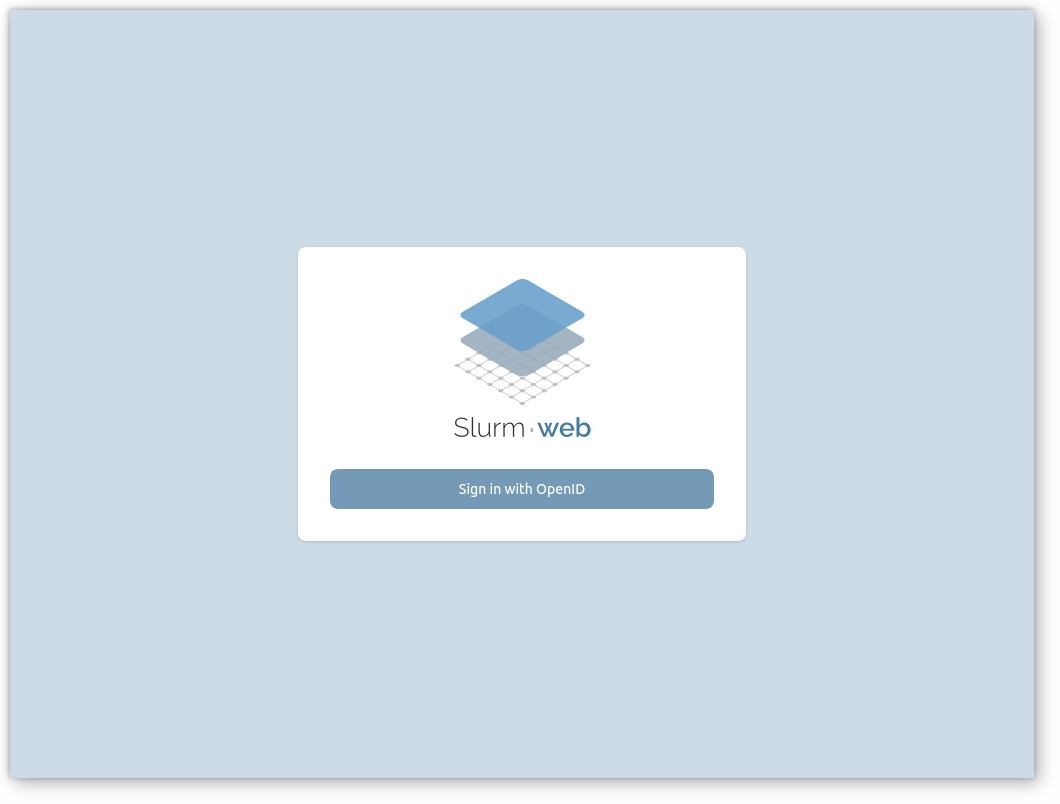
Users sign in through the login page with their identity provider credentials. The gateway validates the credentials and group memberships with the identity provider, then issues a Slurm-web JWT for the session.
Prerequisites
-
HTTPS on the production HTTP server in front of the gateway.
-
Identity provider client configured for the authorization code flow.
-
The identity provider must expose user groups in the ID token or userinfo, under the claim configured with
groups_claim(default:groups).
|
OIDC authentication is not supported on RHEL 8 (and compatibles), SLES 15 and openSUSE Leap 15 because the Authlib library required by the gateway is not available on these platforms. |
Authentication flow
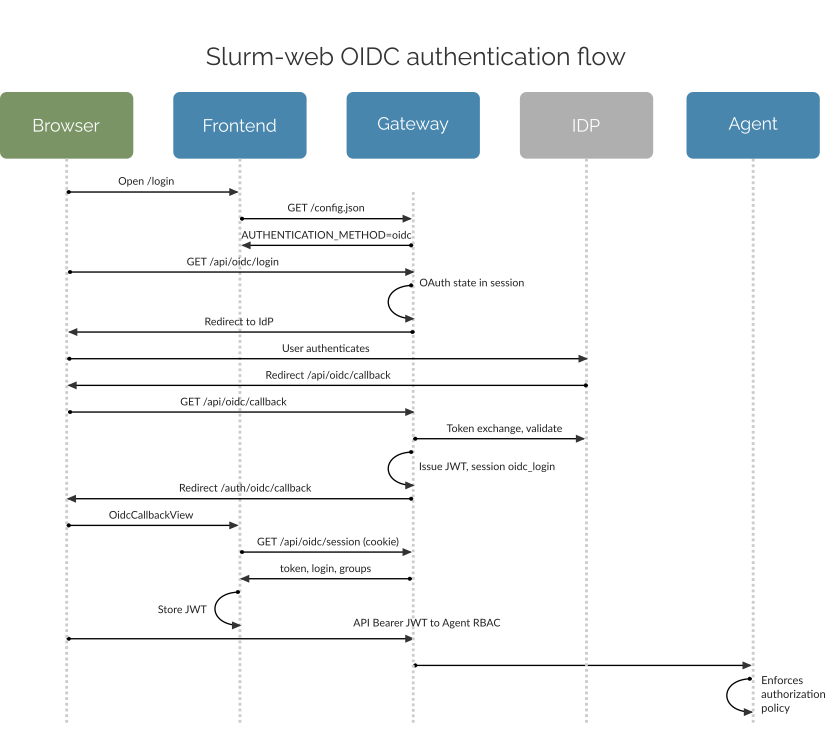
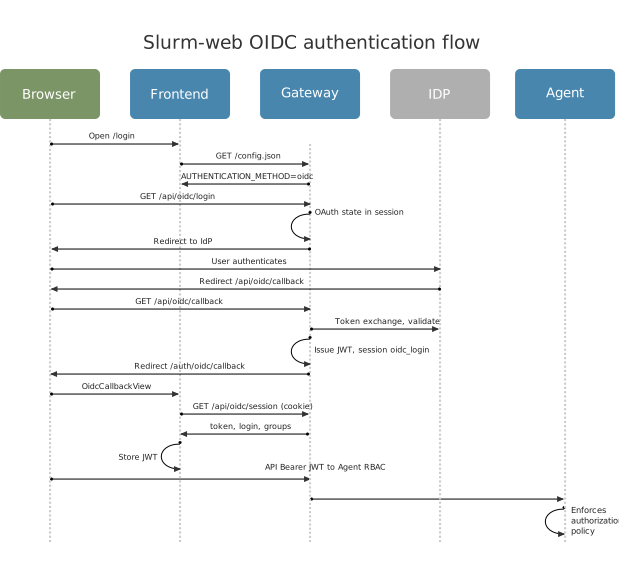
The diagram below shows the browser, frontend, gateway, identity provider, and agent interactions involved in OIDC authentication:
-
The user opens the login page. The frontend loads
GET /config.jsonand learns thatAUTHENTICATION_METHODisoidc. -
The user starts SSO (
GET /api/oidc/login). The gateway stores OAuth state (and PKCE verifiers whenpkceis configured) in a session cookie and redirects the browser to the IdP. -
The user authenticates at the IdP.
-
The IdP redirects the browser to
GET /api/oidc/callbackon the gateway with an authorization code. -
The gateway exchanges the code with the IdP, validates tokens, and builds the Slurm-web user profile (login, full name, groups from token claims).
-
The gateway issues a Slurm-web JWT and stores login handoff data in the Flask session (
oidc_login), then redirects to/auth/oidc/callbackin the frontend (no query parameters). -
The frontend route calls
GET /api/oidc/sessionwith the session cookie (withCredentials). The gateway returns the JWT and user fields and removes the handoff data from the session. -
The frontend stores the JWT and sends it as a Bearer token on API requests.
-
Agents enforce authorization policy from JWT groups.
Setup
Confidential client (recommended)
Minimal example for /etc/slurm-web/gateway.ini:
[authentication]
enabled=yes
method=oidc

[ui]
host=https://dashboard.example.com/ (1)

[oidc]
issuer=https://idp.example.com/realms/org (2)
client_id=slurm-web (3)
client_secret=CHANGE_ME (4)
subject_claim=preferred_username (5)
groups_claim=groups (6)| 1 | Public URL of the web UI; used to derive the OIDC redirect callback URI
({ui.host}/api/oidc/callback) unless redirect_uri is set explicitly. |
| 2 | OIDC issuer URL used for provider discovery. |
| 3 | Client identifier registered at the identity provider. |
| 4 | Client secret. You can also use client_secret_file to read the secret from a file. |
| 5 | Token claim used as the user login in Slurm-web (preferred_username is common
with Keycloak). |
| 6 | Token or userinfo claim that lists group names for RBAC (must match IdP mapper). |
Add pkce=S256 when the IdP requires or recommends PKCE:
pkce=S256Allowed values for pkce: S256 (recommended) or plain (legacy IdPs only).
When pkce is omitted, PKCE is disabled.
By default, the gateway computes the redirect callback URI from ui.host
parameter (in the form {ui.host}/api/oidc/callback). You can also set
oidc.redirect_uri explicitly. Either ui.host or oidc.redirect_uri must be
set.
Restart the gateway after any change to gateway.ini:
-
Native service
-
Production HTTP server
-
Containers
-
Compose
When using default native service:
# systemctl restart slurm-web-gateway.serviceWhen using production HTTP server:
# systemctl restart slurm-web-gateway-uwsgi.serviceWhen using raw containers:
$ docker restart slurm-web-gatewayWith Podman:
$ podman restart slurm-web-gatewayWhen using the reference Compose stack:
$ LOCAL_UID=$(id -u) LOCAL_GID=$(id -g) docker compose restart gatewayWith Podman Compose:
$ LOCAL_UID=$(id -u) LOCAL_GID=$(id -g) podman compose restart gatewayPublic client
For a public OIDC client (no client secret at the token endpoint), omit
client_secret and client_secret_file and set pkce (required):
[oidc]
issuer=https://idp.example.com/realms/org
client_id=slurm-web
pkce=S256
subject_claim=preferred_username
groups_claim=groups
Register the client as public at the IdP. PKCE must be enabled on both sides.
Identity providers
The following sections describe how to register the Slurm-web client at common OpenID Connect identity providers.
Keycloak
This minimal procedure creates a realm client compatible with Slurm-web.
-
Create or select a realm (for example
org). -
Create a client:
-
Client ID:
slurm-web -
Client authentication: On (confidential client) or Off (public client)
-
Standard flow: Enabled
-
Valid redirect URIs:
https://<gateway-host>/api/oidc/callback -
Web origins: gateway and UI origins, or
+for same-host redirects during development
-
-
If using PKCE, set
pkce=S256ingateway.iniand under Advanced → Proof Key for Code Exchange Code Challenge Method, setS256on the Keycloak client. -
Add a Group Membership mapper on the client (or client scope) with claim name
groups, included in ID token and userinfo. -
Optionally map
preferred_usernameif usingsubject_claim=preferred_username. -
For confidential clients, copy the client secret into
gateway.ini(client_secretor secret file). -
Set
issuerto the realm issuer URL (for examplehttps://idp.example.com/realms/org).
Authentik
Authentik can be used as an OIDC provider with the same gateway settings:
confidential or public client, authorization code flow, optional pkce=S256,
redirect URI on /api/oidc/callback, and group claims exposed for
groups_claim. Refer to
Authentik documentation for provider and application
setup.
Troubleshooting
Validate the gateway configuration and test sign-in manually:
-
Confirm
issuer, client credentials (if confidential),pkce(if used), andservice.session_key(or default file) ingateway.ini. See fulloidcparameter reference. -
Register the exact callback URL at the identity provider:
{ui.host}/api/oidc/callback(including any path prefix), unlessredirect_uriis set explicitly. -
Restart the gateway.
-
Open the login page, start SSO, complete IdP login, and verify access to clusters.
-
In menu:Settings[Account], confirm group memberships match IdP groups and policy permissions.
Some common errors and their potential causes:
| Symptom | Things to check |
|---|---|
Redirect URI mismatch |
IdP client redirect URIs must exactly match gateway callback URL (scheme, host, port, path, prefix) |
Invalid state / OAuth errors after IdP login |
|
|
UI and API not same origin; session cookie not sent; user refreshed callback page
twice (handoff already consumed); HTTP vs HTTPS cookie |
Gateway fails to start (OIDC / PKCE error) |
Public client without |
Empty groups in JWT / wrong permissions |
IdP group mapper; |
User cannot sign in |
|
TLS errors to IdP |
|